
特效介绍
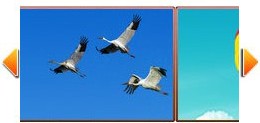
带左右箭头的JS图片无缝滚动,可随意扩展N张图片。兼容各种主流浏览器
使用方法
1、讲如下代码放入head区:<style type="text/css" media="screen">
*{margin:0px;padding:0px;list-style:none;text-decoration:none;}
a,img{border:none;}
.rollBox{height:116px;margin:0;width:953px;overflow:hidden}
.rollBox .scrollcon{width:953px;height:116px;}
.rollBox .LeftBotton{height:68px;width:22px;background:#ff0000 url(images/1294825702857.jpg) no-repeat 0px 0;overflow:hidden;float:left;display:inline;margin:0px;cursor:pointer; margin-top:25px;}
.rollBox .RightBotton{height:68px;width:22px;background:#ff0000 url(images/1294825623597.jpg);overflow:hidden;float:left;display:inline;margin:0px;cursor:pointer; margin-top:25px;}
.rollBox .Cont{width:890px;overflow:hidden;float:left;height:116px;}
.rollBox .ScrCont{width:10000000px;}
.rollBox .Cont .pic{width:168px;height:116px;overflow:hidden;float:left;}
.rollBox .Cont .pic img{background:#fff;display:block;}
.rollBox #List1, .rollBox #List2{float:left;}
</style>
2、把以下代码拷贝到你想引用的地方
<div class="rollBox">
    <div class="scrollcon">
        <div class="LeftBotton" onmousedown="ISL_GoUp()" onmouseup="ISL_StopUp()" onmouseout="ISL_StopUp()"></div>
        <div class="Cont" id="ISL_Cont">
            <div class="ScrCont">
                <div id="List1">
                    <!-- 图片列表 begin -->
                    <div class="pic"><a  href="#"><img width="168" height="116"  src="images/game1.jpg"  /></a></div>
                    <div class="pic"><a  href="#"><img width="168" height="116"  src="images/game2.jpg"  /></a></div>
                    <div class="pic"><a  href="#"><img width="168" height="116"  src="images/game3.jpg"  /></a></div>
                    <div class="pic"><a  href="#"><img width="168" height="116"  src="images/game4.jpg"  /></a></div>
                    <div class="pic"><a  href="#"><img width="168" height="116"  src="images/game1.jpg"  /></a></div>
                    <div class="pic"><a  href="#"><img width="168" height="116"  src="images/game2.jpg"  /></a></div>
                    <div class="pic"><a  href="#"><img width="168" height="116"  src="images/game3.jpg"  /></a></div>
                    <div class="pic"><a  href="#"><img width="168" height="116"  src="images/game4.jpg"  /></a></div>
                    <!-- 图片列表 end -->
                </div>
                <div id="List2"></div>
            </div>
        </div>
        <div class="RightBotton" onmousedown="ISL_GoDown()" onmouseup="ISL_StopDown()" onmouseout="ISL_StopDown()"></div>
    </div><!--content end-->
</div><!--rollBox end-->

<script type="text/javascript">
//图片滚动列表
var Speed = 0.01;//速度(毫秒)
var Space = 5;//每次移动(px)
var PageWidth = 182;//翻页宽度
var fill = 0;//整体移位
var MoveLock = false;
var MoveTimeObj;
var Comp = 0;
var AutoPlayObj = null;
GetObj("List2").innerHTML = GetObj("List1").innerHTML;
GetObj('ISL_Cont').scrollLeft = fill;
GetObj("ISL_Cont").onmouseover = function(){
    clearInterval(AutoPlayObj);
}
GetObj("ISL_Cont").onmouseout = function(){
    AutoPlay();
}

AutoPlay();

function GetObj(objName){
    if(document.getElementById){
        return eval('document.getElementById("'+objName+'")')
    }else{
        return eval('document.all.'+objName)
    }
}

function AutoPlay(){ //自动滚动
    clearInterval(AutoPlayObj);
    AutoPlayObj = setInterval('ISL_GoDown();ISL_StopDown();',2000);//间隔时间
}

function ISL_GoUp(){ //上翻开始
    if(MoveLock) return;
    clearInterval(AutoPlayObj);
    MoveLock = true;
    MoveTimeObj = setInterval('ISL_ScrUp();',Speed);
}

function ISL_StopUp(){ //上翻停止
    clearInterval(MoveTimeObj);
    if(GetObj('ISL_Cont').scrollLeft % PageWidth - fill != 0){
        Comp = fill - (GetObj('ISL_Cont').scrollLeft % PageWidth);
        CompScr();
    }else{
        MoveLock = false;
    }
    AutoPlay();
}

function ISL_ScrUp(){ //上翻动作
    if(GetObj('ISL_Cont').scrollLeft <= 0){
        GetObj('ISL_Cont').scrollLeft = GetObj('ISL_Cont').scrollLeft + GetObj('List1').offsetWidth
    }
        GetObj('ISL_Cont').scrollLeft -= Space ;
}

function ISL_GoDown(){ //下翻
    clearInterval(MoveTimeObj);
    if(MoveLock) return;
    clearInterval(AutoPlayObj);
    MoveLock = true;
    ISL_ScrDown();
    MoveTimeObj = setInterval('ISL_ScrDown()',Speed);
}
function ISL_StopDown(){ //下翻停止
    clearInterval(MoveTimeObj);
    if(GetObj('ISL_Cont').scrollLeft % PageWidth - fill != 0 ){
        Comp = PageWidth - GetObj('ISL_Cont').scrollLeft % PageWidth + fill;
        CompScr();
    }else{
        MoveLock = false;
    }
    AutoPlay();
}

function ISL_ScrDown(){ //下翻动作
    if(GetObj('ISL_Cont').scrollLeft >= GetObj('List1').scrollWidth){
        GetObj('ISL_Cont').scrollLeft = GetObj('ISL_Cont').scrollLeft - GetObj('List1').scrollWidth;
    }
    GetObj('ISL_Cont').scrollLeft += Space ;
}

function CompScr(){
    var num;
    if(Comp == 0){
        MoveLock = false;return;
    }
    if(Comp < 0){ //上翻
        if(Comp < -Space){
            Comp += Space;
            num = Space;
        }else{
            num = -Comp;
            Comp = 0;
        }
        GetObj('ISL_Cont').scrollLeft -= num;
        setTimeout('CompScr()',Speed);
    }else{ //下翻
        if(Comp > Space){
            Comp -= Space;
            num = Space;
        }else{
            num = Comp;
            Comp = 0;
        }
        GetObj('ISL_Cont').scrollLeft += num;
        setTimeout('CompScr()',Speed);
    }
}
</script>
滚动图片的数量在可以随意增减
Speed为滚动速度(毫秒)
Space为每次移动距离(px)
PageWidth为翻页宽度(PX)
fill有0和1两个值,表示是否整体移位