
特效介绍
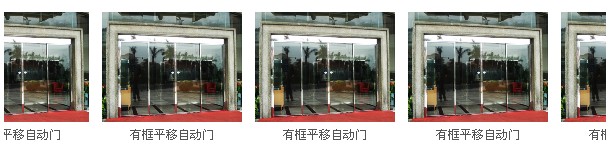
兼容IE和火狐的js图片无缝滚动。图片向左滚动,鼠标移动上去会停止滚动。
使用方法
1、引入 photopic_left.css文件。
2、将以下代码复制进页面中,替换你要显示的图片和你网站的链接即可:
<div class="photopic_left">
<div id="demo">
<table cellpadding="0" border="0" align="left" cellspace="0">
<tbody>
<tr>
<td valign="top" id="demo1">
<table cellspacing="0" cellpadding="0" border="0">
<tbody>
<tr>
<td>
<div style="width:140px;height:135px" class="fang">
<div style="width:140px;height:110px" class="picFit">
<a href="#">
<img width="140" height="110" border="0" src="images/2012061251804697.jpg"
style="width: 140px;">
</a>
</div>
<div class="title">
<a href="#">
有框平移自动门
</a>
</div>
</div>
</td>
<td>
<div style="width:140px;height:135px" class="fang">
<div style="width:140px;height:110px" class="picFit">
<a href="#">
<img width="140" height="110" border="0" src="images/2012061251804697.jpg"
style="width: 140px;">
</a>
</div>
<div class="title">
<a href="#">
有框平移自动门
</a>
</div>
</div>
</td>
<td>
<div style="width:140px;height:135px" class="fang">
<div style="width:140px;height:110px" class="picFit">
<a href="#">
<img width="140" height="110" border="0" src="images/2012061251804697.jpg"
style="width: 140px;">
</a>
</div>
<div class="title">
<a href="#">
有框平移自动门
</a>
</div>
</div>
</td>
<td>
<div style="width:140px;height:135px" class="fang">
<div style="width:140px;height:110px" class="picFit">
<a href="#">
<img width="140" height="110" border="0" src="images/2012061251804697.jpg"
style="width: 140px;">
</a>
</div>
<div class="title">
<a href="#">
有框平移自动门
</a>
</div>
</div>
</td>
<td>
<div style="width:140px;height:135px" class="fang">
<div style="width:140px;height:110px" class="picFit">
<a href="#">
<img width="140" height="110" border="0" src="images/2012061251804697.jpg"
style="width: 140px;">
</a>
</div>
<div class="title">
<a href="#">
有框平移自动门
</a>
</div>
</div>
</td>
<td>
<div style="width:140px;height:135px" class="fang">
<div style="width:140px;height:110px" class="picFit">
<a href="#">
<img width="140" height="110" border="0" src="images/2012061251804697.jpg"
style="width: 140px;">
</a>
</div>
<div class="title">
<a href="#">
有框平移自动门
</a>
</div>
</div>
</td>
<td>
<div style="width:140px;height:135px" class="fang">
<div style="width:140px;height:110px" class="picFit">
<a href="#">
<img width="140" height="110" border="0" src="images/2012061251804697.jpg"
style="width: 140px;">
</a>
</div>
<div class="title">
<a href="#">
有框平移自动门
</a>
</div>
</div>
</td>
</tr>
</tbody>
</table>
</td>
<td valign="top" id="demo2">
<table cellspacing="0" cellpadding="0" border="0">
<tbody>
<tr>
<td>
<div style="width:140px;height:135px" class="fang">
<div style="width:140px;height:110px" class="picFit">
<a href="#">
<img width="140" height="110" border="0" src="images/2012061251804697.jpg"
style="width: 140px;">
</a>
</div>
<div class="title">
<a href="#">
医用门/工厂自动门
</a>
</div>
</div>
</td>
<td>
<div style="width:140px;height:135px" class="fang">
<div style="width:140px;height:110px" class="picFit">
<a href="#">
<img width="140" height="110" border="0" src="images/2012061251804697.jpg"
style="width: 140px;">
</a>
</div>
<div class="title">
<a href="#">
三翼展箱自动旋转门
</a>
</div>
</div>
</td>
<td>
<div style="width:140px;height:135px" class="fang">
<div style="width:140px;height:110px" class="picFit">
<a href="#">
<img width="140" height="110" border="0" src="images/2012061251804697.jpg"
style="width: 140px;">
</a>
</div>
<div class="title">
<a href="#">
两翼豪华自动旋转门
</a>
</div>
</div>
</td>
<td>
<div style="width:140px;height:135px" class="fang">
<div style="width:140px;height:110px" class="picFit">
<a href="#">
<img width="140" height="110" border="0" src="images/2012061251804697.jpg"
style="width: 140px;">
</a>
</div>
<div class="title">
<a href="#">
手动旋转门
</a>
</div>
</div>
</td>
<td>
<div style="width:140px;height:135px" class="fang">
<div style="width:140px;height:110px" class="picFit">
<a href="#">
<img width="140" height="110" border="0" src="images/2012061251804697.jpg"
style="width: 140px;">
</a>
</div>
<div class="title">
<a href="#">
水晶旋转门
</a>
</div>
</div>
</td>
<td>
<div style="width:140px;height:135px" class="fang">
<div style="width:140px;height:110px" class="picFit">
<a href="#">
<img width="140" height="110" border="0" src="images/2012061251804697.jpg"
style="width: 140px;">
</a>
</div>
<div class="title">
<a href="#">
全玻璃平移自动门
</a>
</div>
</div>
</td>
<td>
<div style="width:140px;height:135px" class="fang">
<div style="width:140px;height:110px" class="picFit">
<a href="#">
<img width="140" height="110" border="0" src="images/2012061251804697.jpg"
/>
</a>
</div>
<div class="title">
<a href="#">
有框平移自动门
</a>
</div>
</div>
</td>
</tr>
</tbody>
</table>
</td>
</tr>
</tbody>
</table>
</div>
</div>
<script src="js/left.js">
</script>
注:<script src="js/left.js"></script> 一定要放在页面最后,否则无效。