
特效介绍
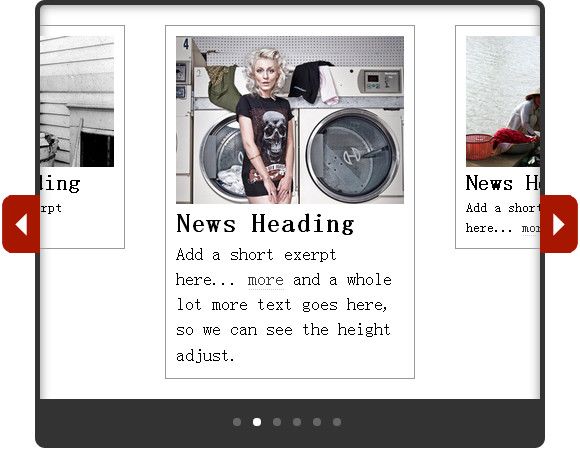
宽高随着图片尺寸改变的幻灯片,当图片尺寸过长或过高,幻灯片会整体延伸以适应图片。本jQuery幻灯片带图片标题和描述,非常适合文章图集使用,而非网站首页使用,否则可能造成布局的变动,而放在文章页,则可以显示图片的整个大小。完美兼容IE6+。
使用方法
1、在head引入下面的代码:<link href="css/movingboxes.css" rel="stylesheet"> <!--[if lt IE 9]> <link href="css/movingboxes-ie.css" rel="stylesheet" media="screen" /> <![endif]--> <link href="css/5imoban.net.css" rel="stylesheet"> <script src="https://5.jimth.com/download/jquery/jquery-1.8.3.min.js"></script> <script src="js/jquery.movingboxes.js"></script>2、在body引入下面的代码:
<div id="wrapper">
<!-- MovingBoxes Slider -->
<ul id="slider">
<li>
<img src="images/1.jpg" alt="picture">
<h2>幻灯图片标题</h2>
<p>在这里添加简单的描述... <a href="https://5.jimth.com">更多>></a></p>
</li>
<li>
<img src="images/2.jpg" alt="picture">
<h2>幻灯图片标题</h2>
<p>在这里添加简单的描述... <a href="https://5.jimth.com">更多>></a> and a whole lot more text goes here, so we can see the height adjust.</p>
</li>
<li>
<img src="images/3.jpg" alt="picture">
<h2>幻灯图片标题</h2>
<p>在这里添加简单的描述... <a href="https://5.jimth.com">更多>></a></p>
</li>
<li>
<img src="images/4.jpg" alt="picture">
<h2>幻灯图片标题</h2>
<p>在这里添加简单的描述... <a href="https://5.jimth.com">更多>></a></p>
</li>
<li>
<img src="images/5.jpg" alt="picture">
<h2>幻灯图片标题</h2>
<p>在这里添加简单的描述... <a href="https://5.jimth.com">更多>></a></p>
</li>
<li>
<img src="images/6.jpg" alt="picture">
<h2>幻灯图片标题</h2>
<p>在这里添加简单的描述... <a href="https://5.jimth.com">更多>></a></p>
</li>
</ul><!-- end Slider #1 -->
</div><!-- end wrapper -->
<script>
$(function(){
$('#slider').movingBoxes({
startPanel : 1, // start with this panel
wrap : false, // if true, the panel will infinitely loop
buildNav : true, // if true, navigation links will be added
navFormatter : function(){ return "●"; } // function which returns the navigation text for each panel
});
});
</script>