
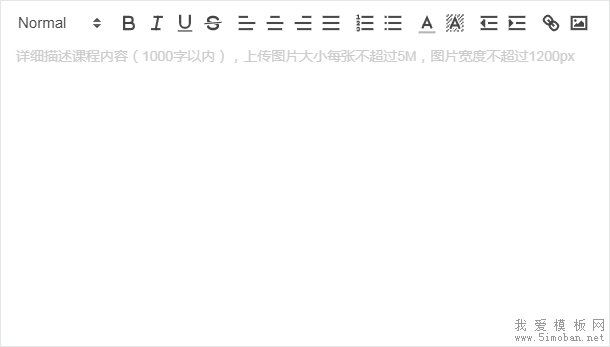
Vue2-Editor是一款基于vue的非常好用,界面简洁的富文本编辑器插件。下面进行简单的使用介绍:
1.安装
npm install --save vue2-editor2.在需要用得组件里面引入
import { VueEditor } from 'vue2-editor'
components:{
    VueEditor
}
3.使用
<template>
    <div v-loading="loading"><!--上传图片时得加载画面-->
      <VueEditor style="width: 80%"<!--宽度-->
        useCustomImageHandler<!--处理图像上传,而不是使用默认转换为Base64-->
        @imageAdded="handleImageAdded"<!--上传图片函数-->
        :editorToolbar="customToolbar"<!--自定义工具栏-->
        v-model="content"></VueEditor>
    </div>
</template>
<script>
export default {
    data(){
        return{
            content:'',
            loading:false,
            customToolbar::[
                ['bold', 'italic', 'underline'],
                [{'align':''},{'align':'center'},{'align':'right'}],
                [{ 'list': 'ordered'}, { 'list': 'bullet' }, { 'list': 'check' }],
                [{'background':[]},{'color':[]}],
                ['image','link'],
                ['strike'],
                ['clean'],
                ],//更多工具栏选项在下面
            }
    }
    methods:{
    handleImageAdded:function(file,Editor,cursorLocation){
        //上传图片操作

        //把获取到的图片url 插入到鼠标所在位置 回显图片
        Editor.insertEmbed(cursorLocation, 'image', url);
    }
    }
}
</script>
4.工具栏选项 align:{'left','center','right'} 文本对齐方式
background 背景色
blockquote 引用
bold 加粗
clean 清楚格式
code 代码
code-block 代码块
color 字体颜色
direction:{'rtl'} 方向
float:{'center','full','left','right'} 浮动
formula 公式
header 标题
italic 斜体
image 图片
indent 缩进
link 链接
list :{'ordered','bullet','check'} 列表 有序 多选列别
script :{'sub','super'} 脚本
strike 作废
underline 下划线
video 视频