
flutter获取状态栏高度的代码如下:
final double statusBarHeight = MediaQuery.of(context).padding.top;而安全区域,就是适配现在一些刘海屏之类的非常规显示屏,在flutter中除了根据上面的方法获取到状态栏高度,给页面加对应的状态栏高度padding,还有一个专门的widget用来显示安全区域的Widget:SafeArea,在它里面的内容就不会超出安全区域:
下面是对比图:
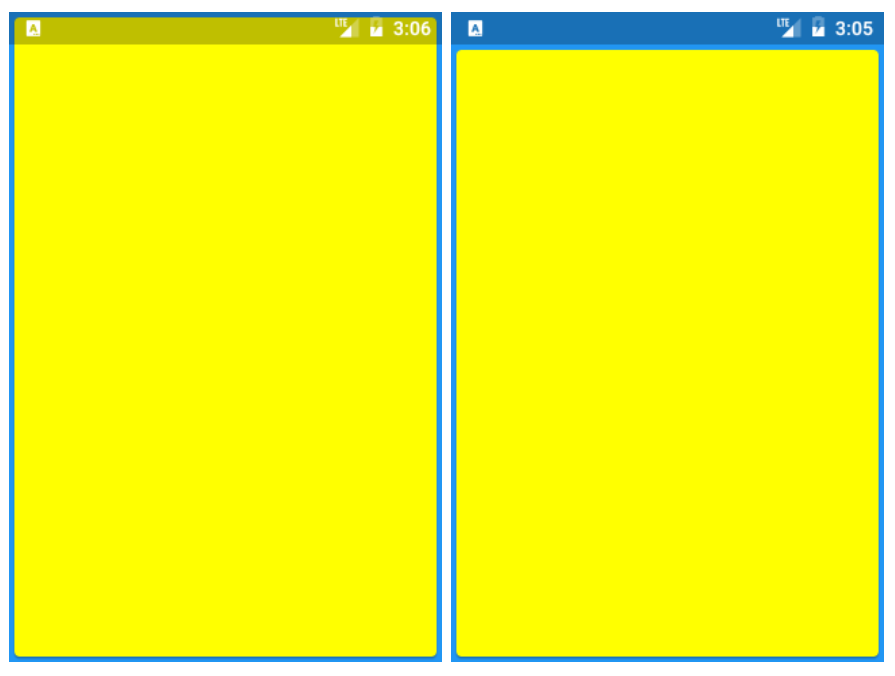
 Widget build(BuildContext context) {
   return Material(
      color: Colors.blue,
      child: SafeArea(
        child: SizedBox.expand(
          child: Card(color: Colors.yellowAccent),
        ),
      ),
   );
}
该widget可以设置四个方向是否启用安全区,例如不对底部设置安全区域,可以设置为:
Widget build(BuildContext context) {
  return Material(
    color: Colors.blue,
   bottom: false,
    child: SafeArea(
      child: SizedBox.expand(
        child: Card(color: Colors.yellowAccent),
      ),
    ),
  );
}