
这mavonEditor默认不支持script引入,只能用npm安装。那也有办法,刚好官网提供了dist包,用vue局部组件的方式应该能够实现,最终实现方法如下(下载地址在文末):
1、引入相关css和js
<link href="/mavonEditor/css/index.css" rel="stylesheet">
<script src="/mavonEditor/mavon-editor.js"></script>
<script src="https://5.jimth.com/uploads/allimg/210729/14453JH3-1.jpg"></script>
2、html代码
<div id="main">
    <editor1></editor1>
</div>
3、js代码:
Vue.use(window['mavon-editor'])

// 局部子组件
const editor1 = {
    template:`
        <div>
            <mavon-editor v-model="value" ref=md @imgAdd="$imgAdd"></mavon-editor>
            <button @click="doSave">保存</button>
        </div>
    `,
    data(){
        return{
            value:"我爱模板网"
        }
    },
    methods: {
        // 上传图片
        $imgAdd: function (pos, file) {
            console.log(pos)
        },
        doSave(){
            console.log(this.value)
        }
    }
}

new Vue({
    'el': '#main',
    data:{
    },
    components:{
        editor1: editor1
    },
    mounted(){
    }
})
最终实现效果如下: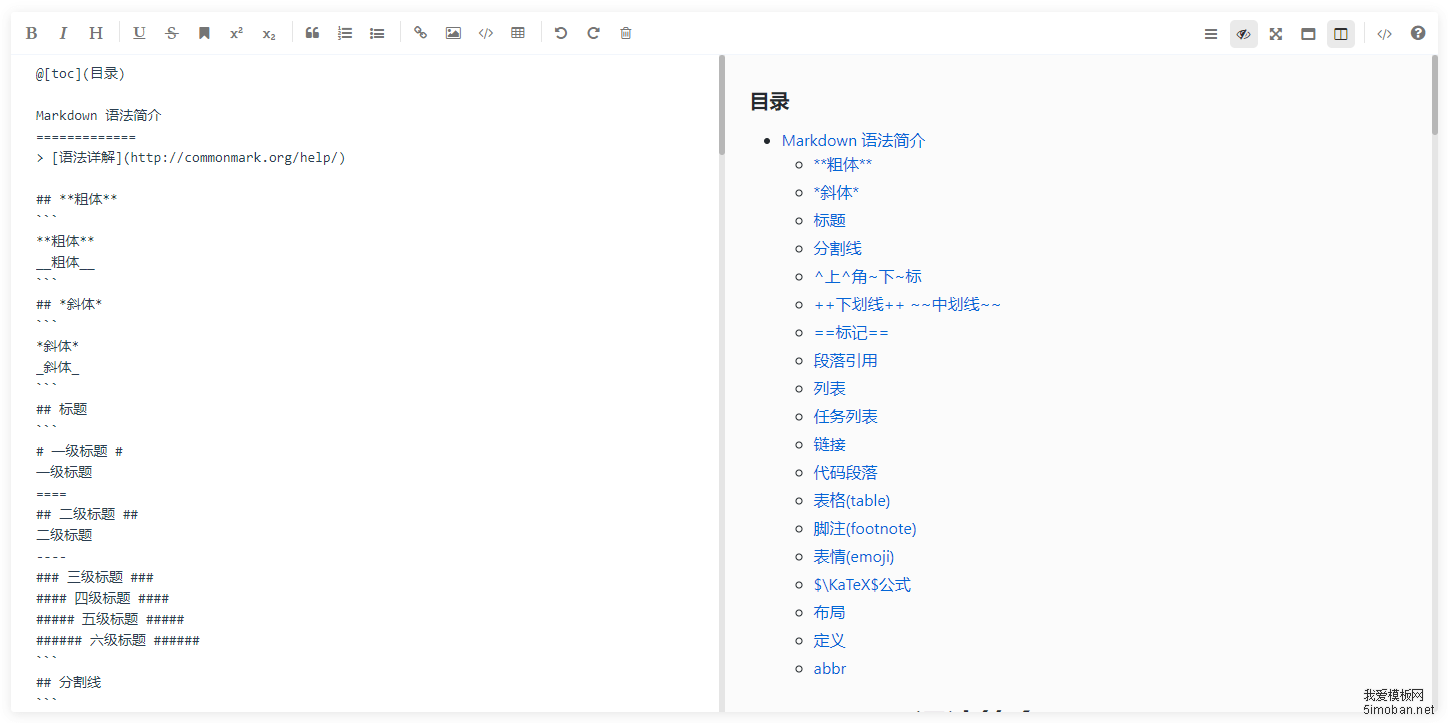
完整源码下载地址:https://pan.baidu.com/s/144YdoRTycfKSHIzQdLkWIw 提取码: rfre