
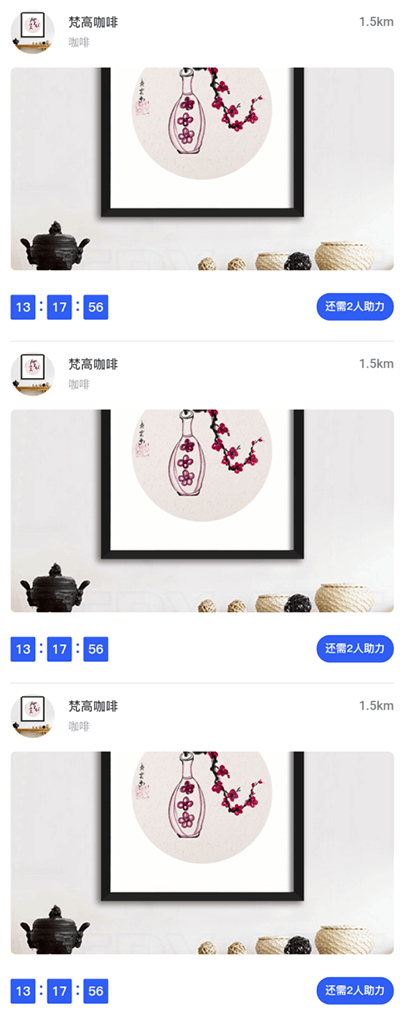
第一步、布局:
<div class="noteconcernlist">
      <div class="noteconcernlist_header">
          <div class="noteconcernlist_header_l">
              <img :src="func.imgHost()+item.storePic" class="noteconcernlist_header_l_img">
              <div class="noteconcernlist_header_l_name">
                  <div class="noteconcernlist_header_l_name1"><span>{{item.storeName}}</span><div class="noteconcernlist_header_r">{{item.storeDistance}}</div></div>
                  <div class="noteconcernlist_header_l_name2">{{item.storeIndustryName}}</div>
              </div>
          </div>
      </div>
      <img :src="item.productUrl" class="noteconcernlist_img" @click="goCoupon(item)">
      <!--倒计时-->
      <div class="zlfooter" v-if="((item.couponType === '2' && item.getType === '2') || (item.couponType === '3' && item.getType === '2') || (item.couponType === '6' && item.getType === '2')) && (item.helpStatus === '3')">
          <div class="zlfooter_l">
              <div class="zlfooter_l_d">{{item.countDownHours}}</div>
              <div class="zlfooter_l_s">:</div>
              <div class="zlfooter_l_d">{{item.countDownMinutes}}</div>
              <div class="zlfooter_l_s">:</div>
              <div class="zlfooter_l_d">{{item.countDownSeconds}}</div>
          </div>
          <div class="zlfooter_r">还需{{item.beHelpNum}}人助力</div>
   </div>
</div>
第二步、获取数据,造出时分秒字段,同时数据获取完,启动定时器:
getList:function(fn){
    var that = this;
    func.api(apiConfig.userCouponList(),{
        page : that.pageNum,
        limit : that.pageSize,
        longitude : that.longitude,
        latitude : that.latitude
    },function(r){
        if(r.status !== 200){
            func.msg(r.message);
        }else{
            //增加倒计时的时分秒,r.data.rows即获取的数据列表,getShiChaTime是计算时间,返回时分秒
            r.data.rows.map(function(item,index){
                item.countDownHours = that.getShiChaTime(item.helpEndTime).hours;
                item.countDownMinutes = that.getShiChaTime(item.helpEndTime).minutes;
                item.countDownSeconds = that.getShiChaTime(item.helpEndTime).seconds;
            })
            if(that.pageNum === 1){
                that.list = r.data.rows;
            }else{
                that.list = that.list.concat(r.data.rows);
            }
            if(that.list.length<r.data.total){
                that.pageNum++;
                that.hasMore = true;
            }else{
                that.hasMore = false;
            }
            //启动倒计时
            that.interval();
        }
    })
},
第三步、倒计时inerval逻辑
interval:function(){
    var that = this;
    setInterval(function(){
        item.countDownHours = that.getShiChaTime(item.helpEndTime).hours;
        item.countDownMinutes = that.getShiChaTime(item.helpEndTime).minutes;
        item.countDownSeconds = that.getShiChaTime(item.helpEndTime).seconds;
        that.$forceUpdate();
    },1000)
},
第四步、getShiChaTime逻辑
//获取时差中的时分秒
getShiChaTime:function(str){
    var oldTime = new Date(str).getTime();
    var nowTime = new Date().getTime();
    var shicha = oldTime-nowTime;
    var hours = parseInt(shicha / 1000 / 60 / 60);
    var minutes = parseInt((shicha % (1000 * 60 * 60)) / (1000 * 60));
    var seconds = parseInt((shicha % (1000 * 60)) / 1000);
    return {
        hours:hours,
        minutes:minutes,
        seconds:seconds
    };
},