
先看图:
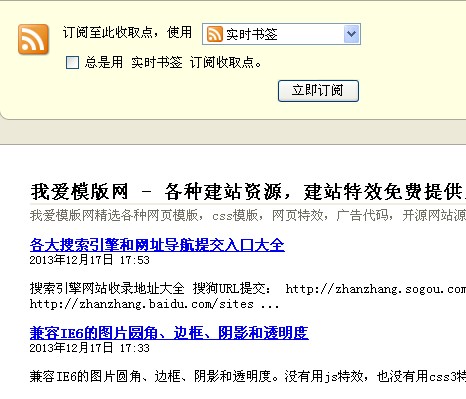
RSS效果图
一共四步:
一、新建rss.php,拷贝下面代码到里面去,然后放到根目录:
<?php
require_once (dirname(__FILE__) . "/include/common.inc.php"); require_once DEDEINC. "/arc.partview.class.php"; $pv=n ew PartView(); $pv->
    SetTemplet($cfg_basedir . $cfg_templets_dir ."/default/rss.htm"); header("Content-type:application/xml");
    $pv->Display();
?>
二、新建rss.htm,拷贝下面代码到里面去,然后放到/templates/default里
<?xml version="1.0" encoding="utf-8" ?>
<rss version="2.0">
    <channel>
        <title>
            {dede:global.cfg_webname/}
        </title>
        <link>
        {dede:global.cfg_basehost/}
        </link>
        <description>
            {dede:global.cfg_description/}
        </description>
        <language>
            zh-cn
        </language>
        <generator>
            {dede:global.cfg_webname/}
        </generator>
        <webmaster>
            {dede:global.cfg_adminemail/}
        </webmaster>
        {dede:arclist row='20' col='1' titlelen='100' orderby='pubdate'}
        <item>
            <link>
            [field:arcurl/]
            </link>
            <title>
                <![CDATA[[field:title function='html2text(@me)'/]]]>
            </title>
            <author>
                [field:writer/]
            </author>
            <category>
                [field:typename/]
            </category>
            <pubDate>
                [field:pubdate function='strftime("%a, %d %b %Y %H:%M:%S +0800",@me)'/]
            </pubDate>
            <guid>
                [field:arcurl/]
            </guid>
            <description>
                <![CDATA[[field:description function='html2text(@me)'/] ... ]]>
            </description>
        </item>
        {/dede:arclist}
    </channel>
</rss>
三、在首页放个RSS链接,链接地址为:https://5.jimth.com/rss.php
注:把里面的5.jimth.com全部换成你的网站地址